
Top 5 Reasons Your Laptop Is Running Slow | Boise
Last updated: June 2025
If your laptop takes forever to open a browser, freezes during video calls, or sounds like it’s about to take off like a jet engine, you’re not alone — and you don’t need a new computer. Most slow laptops in Boise have one of five fixable problems: too many startup programs, a full or failing hard drive, overheating, not enough RAM, or malware running in the background. Many of these issues can be diagnosed and fixed the same day at Four Corners Repair Center. Here’s how to figure out what’s dragging your machine down.
Why Is My Laptop So Slow All of a Sudden?
Laptops don’t slow down overnight for no reason. Something changed — either hardware is wearing out, software bloat has built up over time, or a background process is hogging your system resources. The good news is that a slow laptop is almost always repairable. Understanding which of the five causes applies to your machine is the first step toward getting it running fast again.
What Are the Most Common Reasons a Laptop Slows Down?
1. Too Many Programs Launch When You Start Up
Every time you install an app, it often adds itself to your startup list. After a year or two, your laptop might be loading 20 or 30 programs before you even open a browser. That eats up your memory and processor before you’ve done a single thing. You can check your startup programs in Task Manager (Windows) or System Settings (Mac) and disable anything you don’t need running immediately. This one fix alone can shave minutes off your boot time.
2. Your Hard Drive Is Full or Starting to Fail
When your storage drive gets above 85–90% full, your laptop slows down significantly because Windows and macOS use free space as a working area. Delete files you don’t need, offload photos to an external drive, and empty your recycle bin. If your drive is old or making clicking sounds, it may be failing — and that’s a repair you want to handle quickly before you lose your data. Upgrading to a solid-state drive (SSD) is one of the fastest performance improvements available, and most Boise residents see a night-and-day difference after the swap.
3. Your Laptop Is Overheating
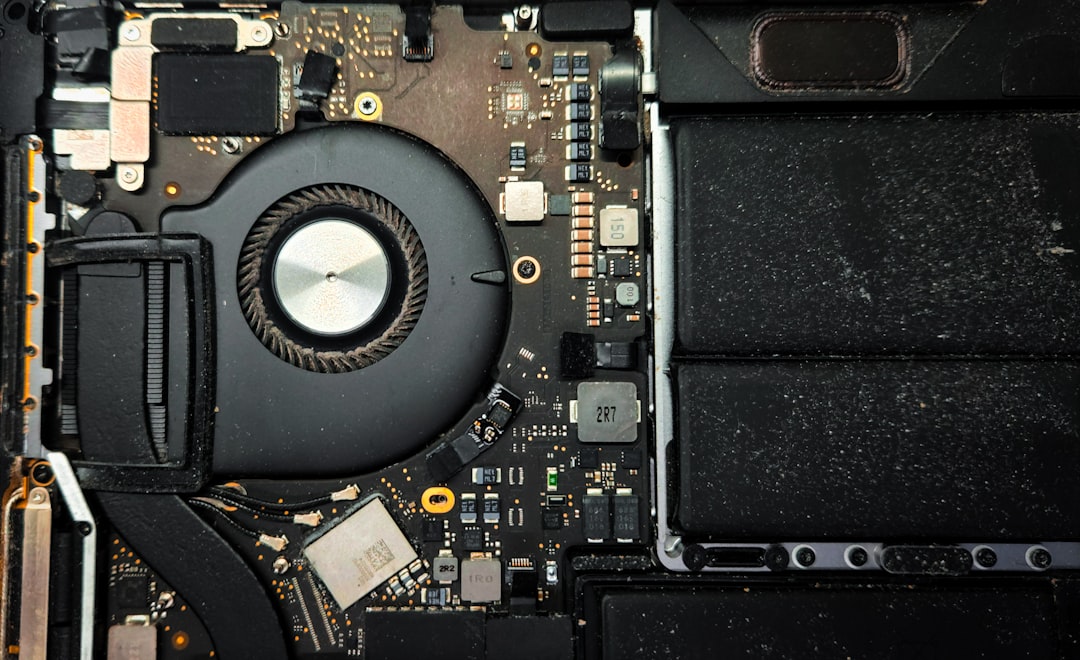
Dust builds up inside your laptop’s vents over time and blocks airflow. When the processor gets too hot, it automatically slows itself down to avoid damage. If your laptop feels hot on the bottom, the fan runs constantly, or it shuts off without warning, overheating is likely the culprit. A professional cleaning clears out the dust, and a fresh application of thermal paste brings temperatures back down. This is one of the most common fixes we see at our Boise location.
4. Not Enough RAM for What You’re Asking It to Do
RAM is your laptop’s short-term memory — it holds everything you have open right now. If you run Chrome with 10 tabs, a video call, and a spreadsheet on 4GB of RAM, your laptop will struggle. Many laptops can be upgraded to 8GB or 16GB of RAM, which handles modern workloads without breaking a sweat. Not all laptops support RAM upgrades (some have it soldered to the board), but a technician can tell you quickly whether yours qualifies.
5. Malware or Unwanted Software Running in the Background
Malware, adware, and bloatware quietly consume your processor and internet connection without you knowing. If your browser has new toolbars you didn’t install, ads appear in strange places, or your laptop crawls even with nothing open, you may have unwanted software on board. A malware scan and removal gets your system clean and typically restores performance within the same visit.
How Much Does Laptop Repair Cost in Boise?
| Service | Typical Price Range | Turnaround |
|---|---|---|
| Diagnostic / Tune-Up | $49 – $79 | Same day |
| SSD Upgrade (parts + labor) | $100 – $200 | Same day |
| RAM Upgrade (parts + labor) | $60 – $150 | Same day |
| Malware Removal | $69 – $99 | Same day |
| Thermal Cleaning / Repaste | $59 – $89 | Same day |
Prices are estimates. Final cost depends on your specific laptop model and parts needed. We’ll give you a clear quote before any work begins.
Can I Speed Up My Laptop Myself Before Bringing It In?
Yes — try these steps first. If the problem persists, bring it to us and we’ll figure out what’s left.
- Restart your laptop — not just close the lid. A full restart clears temporary files and refreshes memory.
- Check available storage — go to your drive settings and confirm you have at least 15% free space.
- Disable startup programs — open Task Manager on Windows (Ctrl + Shift + Esc), click the Startup tab, and disable anything non-essential.
- Run a virus scan — use Windows Defender or Malwarebytes (free version) to check for malware.
- Check for Windows or macOS updates — outdated system software causes performance issues and security gaps.
If you work through all five steps and your laptop still runs slow, the problem is likely hardware-related — a failing drive, thermal issue, or insufficient RAM — and that’s where a professional diagnosis saves you time and money.
Frequently Asked Questions About Slow Laptop Repair in Boise
How long does laptop repair take at Four Corners Repair Center?
Most laptop performance repairs are completed the same day. Tune-ups, malware removal, RAM upgrades, and SSD installs typically take two to four hours. We’ll give you a time estimate when you drop off your device.
Is it worth repairing a slow laptop or should I just buy a new one?
In most cases, repair is worth it — especially if your laptop is less than six or seven years old. An SSD upgrade and RAM boost on a mid-range laptop often costs under $200 and delivers performance that rivals a new $600 machine. We’ll give you an honest answer based on your specific laptop’s condition.
Do you offer a warranty on laptop repairs in Boise?
Yes. All repairs at Four Corners Repair Center come with a warranty on parts and labor. If something related to our repair goes wrong after you leave, bring it back and we’ll make it right.
Do you serve customers outside of Boise?
Absolutely. We serve customers from across the Treasure Valley, including Meridian, Nampa, Eagle, and Caldwell. Most people are in and out the same day.
Get Your Laptop Running Fast Again — Same Day in Boise
A slow laptop doesn’t have to mean a new laptop. Whether you’re dealing with a crawling startup, constant freezing, or a machine that overheats every time you push it, the team at Four Corners Repair Center in Boise can diagnose and fix the problem — usually the same day you bring it in.
We serve customers throughout the Treasure Valley and back every repair with a warranty, so you leave with confidence. Call us at 208-321-0075 or stop by to get a free quote. Your laptop has a lot of life left in it — let’s get it back.