How to Fix PS5 Overheating Issues | Boise PS5 Repair
Last updated: June 2025
If your PS5 is overheating, shutting itself down, or blasting the fan like a jet engine, the fix is usually one of three things: dust buildup, poor airflow, or dried-out thermal paste. Most overheating problems can be solved at home in under 30 minutes. But if your PS5 keeps overheating after a good cleaning, it likely needs a thermal paste replacement or internal inspection — something our team at Four Corners Repair Center in Boise handles same day.
What Does PS5 Overheating Actually Mean?
Your PS5 has a built-in temperature sensor that shuts the console down when it gets too hot — usually around 95°C (203°F). When that happens, you might see a warning message on screen, the console powers off mid-game, or the fan runs at full speed even during simple tasks. That’s your PS5 telling you something is blocking the heat from escaping properly.
Why Is My PS5 Overheating?
There are four common causes:
- Dust buildup — Dust clogs the vents and fan, trapping heat inside
- Poor airflow — The console is too close to walls, in a cabinet, or stacked with other devices
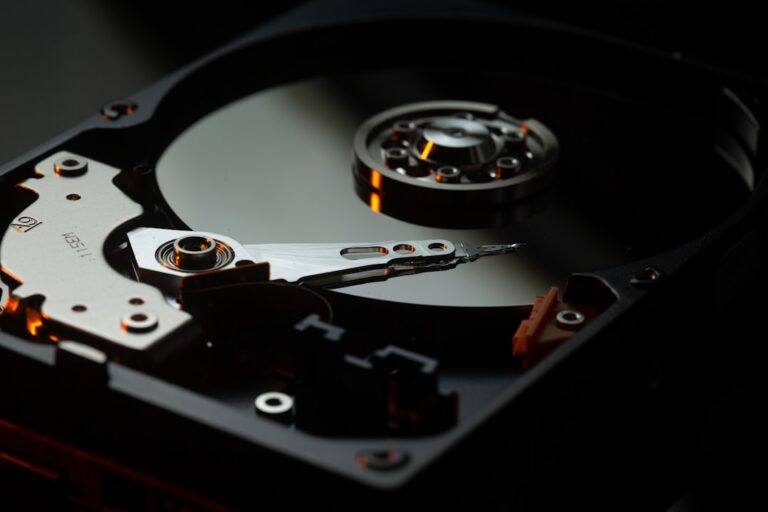
- Dried thermal paste — The paste that transfers heat from the processor to the heat sink breaks down over time
- Faulty fan — The fan itself stops spinning properly or fails entirely
The first two you can fix yourself. The last two need someone to open the console.
How Do I Fix PS5 Overheating at Home?
Start here before spending any money. These steps fix the majority of PS5 overheating complaints:
- Power off and unplug your PS5 completely. Don’t just put it in rest mode — cut the power and let it cool down for 30 minutes.
- Move it to an open space. Your PS5 needs at least 4 inches of clearance on all sides. Get it out of enclosed cabinets or entertainment centers.
- Stand it vertically. The PS5 is designed to run vertically. If yours is lying flat, try standing it up — it improves airflow significantly.
- Vacuum or blow out the vents. Use a can of compressed air or a vacuum on low setting to clear dust from both side vents and the back exhaust. Do this every 3–6 months.
- Check the room temperature. A hot room makes it harder for your PS5 to cool itself. Keep it in a room under 80°F when gaming.
- Update your PS5 firmware. Go to Settings → System → System Software → System Software Update. Sony occasionally releases patches that improve fan control.
- Test it again. Fire up a demanding game for 30 minutes and see if the problem returns.
If it still overheats after all of that, the issue is internal — and it’s time to bring it in.
When Should I Take My PS5 to a Repair Shop?
Bring your PS5 to a professional if any of these sound familiar:
- The console shuts off within minutes of starting a game
- The fan is loud even on the home screen
- You’ve cleaned the vents and it’s still overheating
- Your PS5 is more than 2 years old and has never had maintenance
- You see the overheating warning message repeatedly
Opening a PS5 to replace thermal paste or repair a fan requires the right tools and experience. Done wrong, you risk voiding your warranty or damaging the motherboard. Our technicians at Four Corners Repair Center in Boise have worked on hundreds of PS5s across the Treasure Valley — we know exactly what to look for.
How Much Does PS5 Repair Cost in Boise, Idaho?
| Repair Type | Typical Cost | Turnaround |
|---|---|---|
| Cleaning & dust removal | $30–$50 | Same day |
| Thermal paste replacement | $60–$90 | Same day |
| Fan replacement | $80–$120 | Same day |
| Full overheating diagnosis | Free estimate | Same day |
Prices are estimates. Final cost depends on the condition of your console. We give you a quote before we touch anything.
Frequently Asked Questions About PS5 Overheating
Can overheating permanently damage my PS5?
Yes — repeated overheating can damage the processor, solder joints, and other internal components over time. If your PS5 keeps shutting itself off from heat, don’t keep powering it back on. Get it looked at before the damage becomes expensive.
How often should I clean my PS5 to prevent overheating?
Clean the vents with compressed air every 3–6 months, especially if you have pets or a dusty home. A full internal cleaning by a technician every 1–2 years keeps the thermal paste and fan in good shape.
Does Four Corners Repair Center in Boise fix PS5 overheating same day?
Yes — most PS5 overheating repairs, including thermal paste replacement and fan repairs, are completed the same day you bring the console in. Treasure Valley customers don’t have to wait days to get back to gaming.
Is my PS5 repair covered under warranty at Four Corners?
Yes. All repairs at Four Corners Repair Center come with a warranty on parts and labor. If something isn’t right after your repair, bring it back and we’ll make it right.
Get Your PS5 Running Cool Again — Boise’s Same-Day PS5 Repair Shop
If your PS5 is still overheating after trying the steps above, bring it to Four Corners Repair Center in Boise. We’ll diagnose the problem for free, give you a straight answer on what it needs, and get it fixed the same day in most cases. No appointments necessary.
Serving Boise, Meridian, Nampa, and the entire Treasure Valley.
📞 Call or text us at 208-321-0075
Or stop by — walk-ins welcome.