
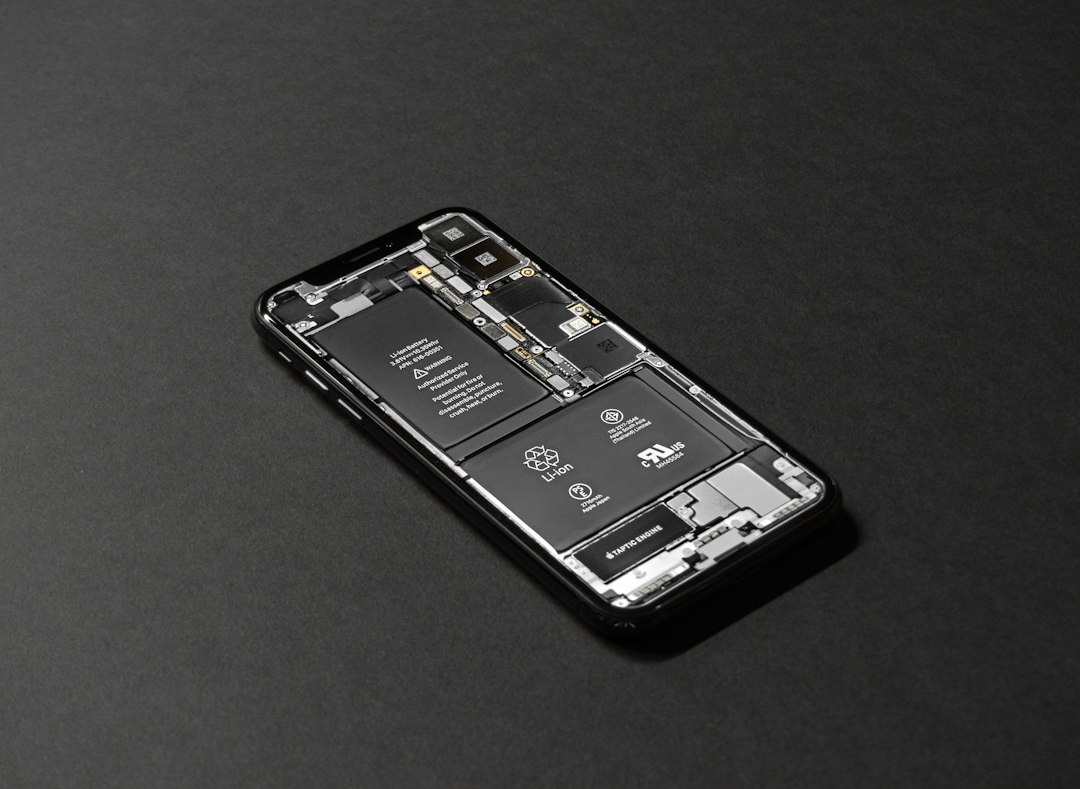
How Long Should a Phone Battery Last? Signs of Wear
Last updated: June 2025
A healthy phone battery should last a full day on a single charge — typically 8 to 12 hours of normal use. Most smartphone batteries are designed to hold 80% of their original capacity after about 500 full charge cycles, which works out to roughly two to three years of regular use. If your phone is dying by lunch, needing a charge twice a day, or shutting off at 30%, your battery is worn out — and a replacement can make your phone feel brand new again.
What Is Battery Capacity and Why Does It Matter?
Battery capacity is the total amount of charge your battery can hold, measured as a percentage of its original design. A phone at 100% capacity holds a full charge. A phone at 72% capacity has lost over a quarter of its original battery life — and you feel that loss every single day.
As you charge and use your phone, the battery degrades a little at a time. Heat, fast charging, and leaving your phone plugged in overnight all speed up that process. By the time your battery drops below 80% capacity, most people in the Treasure Valley notice real problems: shorter screen time, unexpected shutdowns, and a phone that gets warm even when you’re barely using it.
What Are the Warning Signs Your Phone Battery Is Failing?
Here are the most common signs Boise customers bring their phones in for:
- Your phone dies before the end of the day — even on a full charge in the morning
- The battery percentage jumps around — dropping from 40% to 10% in minutes, or skipping numbers entirely
- Your phone shuts off unexpectedly — even when the battery shows charge remaining
- The back of your phone feels swollen or looks slightly raised — this is a swollen battery and needs attention right away
- Your phone overheats doing simple tasks — scrolling, texting, or watching a short video
- Charging takes much longer than it used to — or the charge won’t hold once you unplug it
If two or more of these sound familiar, your battery is past its useful life. You can keep carrying a charger everywhere — or you can get the battery replaced and actually use your phone again.
How Do You Check Your iPhone or Android Battery Health?
For iPhone Users:
- Open Settings
- Tap Battery
- Tap Battery Health & Charging
- Check the Maximum Capacity percentage
If your iPhone shows below 80%, Apple recommends a battery replacement. Below 75%, you’ll notice significant daily disruption.
For Android Users:
- Go to Settings
- Tap Battery or Device Care (varies by brand)
- Look for Battery Status or Battery Health
Not all Android phones display capacity percentage. If you can’t find the reading, the team at Four Corners Repair Center can run a free diagnostic check on your device in Boise — no appointment needed.
How Long Does a Phone Battery Replacement Take in Boise?
Most phone battery replacements at Four Corners Repair Center are done the same day — often within the hour. You don’t need to mail your phone anywhere or wait days without a device. Bring it in, and in most cases you’ll walk out with a fully working phone the same afternoon.
| Device Type | Typical Repair Time | Warranty |
|---|---|---|
| iPhone (most models) | 30–60 minutes | 90-day warranty |
| Samsung Galaxy | 45–90 minutes | 90-day warranty |
| Google Pixel | 45–90 minutes | 90-day warranty |
| Other Android | Varies by model | 90-day warranty |
Every battery replacement comes with a 90-day warranty on parts and labor. If something isn’t right after your repair, bring it back — we’ll make it right.
How Can You Make Your New Phone Battery Last Longer?
Follow these battery life tips to get the most out of your replacement — or your current battery if it’s still in decent shape:
- Keep your charge between 20% and 80% — charging to 100% every time stresses the battery over time
- Avoid leaving your phone in a hot car — Idaho summers are rough on batteries
- Turn on Low Power Mode when you know you’ll be away from a charger
- Reduce screen brightness — the display is the biggest battery drain on most phones
- Close apps you’re not using — background refresh drains power even when your screen is off
- Use your phone’s original or certified charger — cheap off-brand chargers can degrade your battery faster
Frequently Asked Questions About Phone Battery Replacement in Boise
How much does phone battery replacement cost in Boise?
Battery replacement at Four Corners Repair Center is competitively priced and varies by device model. Call us at 208-321-0075 for a quick quote — most replacements are significantly less expensive than buying a new phone.
Is it worth replacing a phone battery or should I just buy a new phone?
In most cases, a battery replacement is absolutely worth it. If your phone hardware works fine and the battery is the only problem, replacing the battery gives you another two to three years of use at a fraction of the cost of a new device. Treasure Valley customers save hundreds of dollars this way every year.
Can a swollen phone battery be dangerous?
Yes. A swollen battery should be treated as urgent. Don’t charge it, don’t press on the swollen area, and bring it in for same-day service as soon as possible. Swollen batteries can leak or, in rare cases, cause damage to your phone or create a safety risk.
Do I need an appointment for battery replacement in Boise?
No appointment is necessary. Walk into Four Corners Repair Center in Boise and we’ll assess your battery on the spot. Most repairs start right away.
Get Your Phone Battery Replaced in Boise Today
If your phone can’t make it through the day on a single charge, you don’t have to put up with it. Four Corners Repair Center serves customers across Boise and the Treasure Valley with fast, honest phone battery replacement — most repairs done the same day, every repair backed by a 90-day warranty.
Stop carrying a charger everywhere. Call us at 208-321-0075 or walk in today. We’ll get your phone working the way it should.